
01 / PRODUCT VIEW
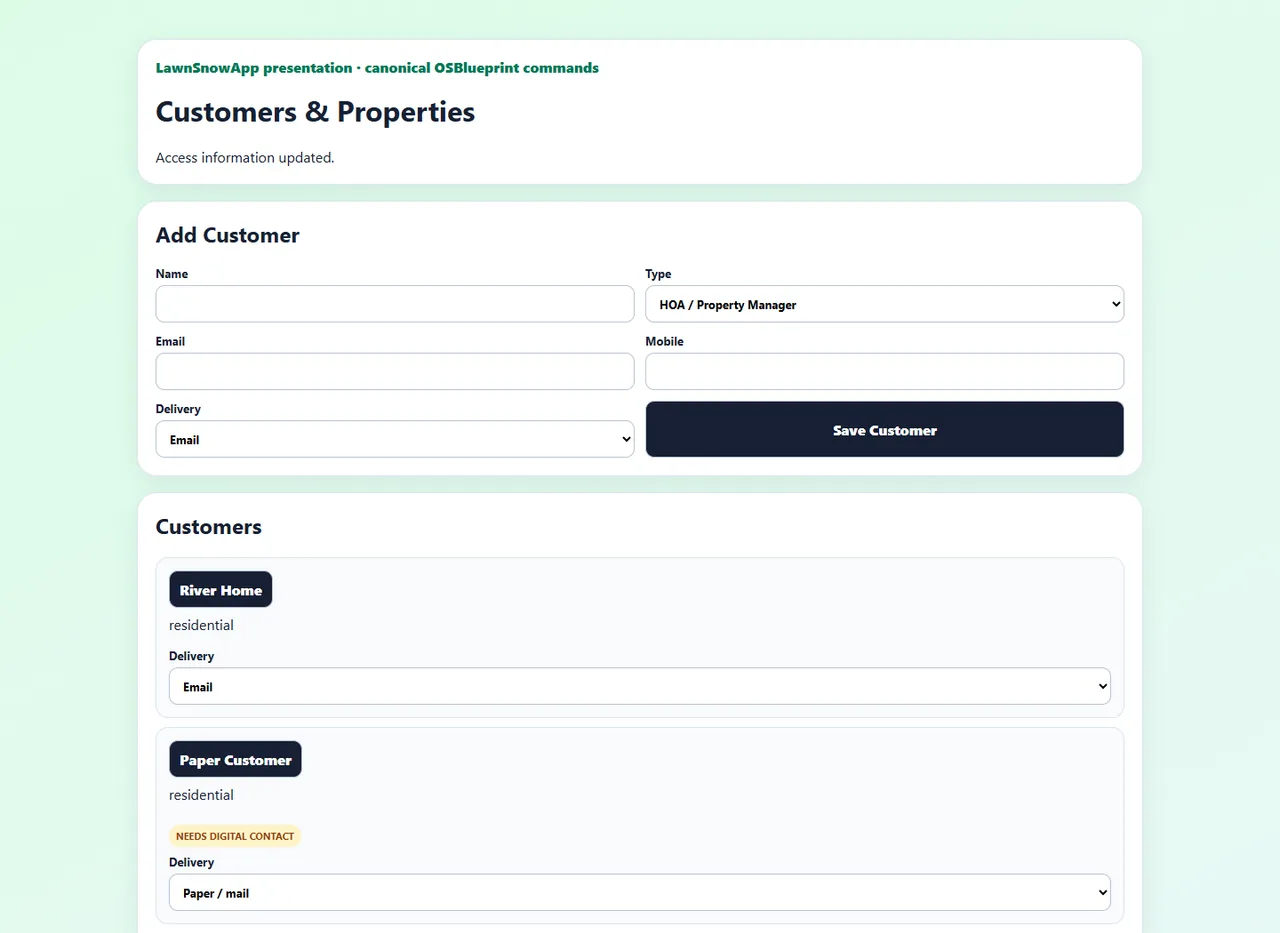
The customer and the property stay together.
Keep service context and history attached to the place where work happens.
BUILT FOR SERVICE BUSINESSES
OSBlueprint connects customers, properties, jobs, crews, requests, payments, documents, and follow-up in one operating system built around the way your company works.
Prefer pictures? View the image walkthroughsBuilt for owners. Clear for crews. Easier for customers.
Illustrative product visualization. See current screens in the live demo.
YOUR BUSINESS, IN FOCUS
Six compact gauges keep your priorities in view. Hover to see more, then open a gauge for its detailed records.
Mower 02 · Oil/filter change · Meter: 238 h · Due: 250 h · Remaining: 12 h.
Hover to enlarge and preview. Click for full detail.Tap to enlarge and preview, then open full detail.
Illustrative values · fictional business · changes stay on this page
Target-state marketing illustration. Development views are not a claim of current Production availability.
OSBLUEPRINT · Built for what’s next
About half of new businesses close within their first five years. We believe falling behind on paperwork—the business of running a business—is a major contributor. That’s why OSBlueprint exists: to come alongside small business owners, help handle the paperwork, and give them more time to serve their customers.
Survival statistic source: U.S. Bureau of Labor Statistics. The paperwork explanation is our belief.ONE CONNECTED OPERATION
Every step has a place, and the next person sees what they need. That means fewer handoffs to reconstruct and a clearer record of what happened.
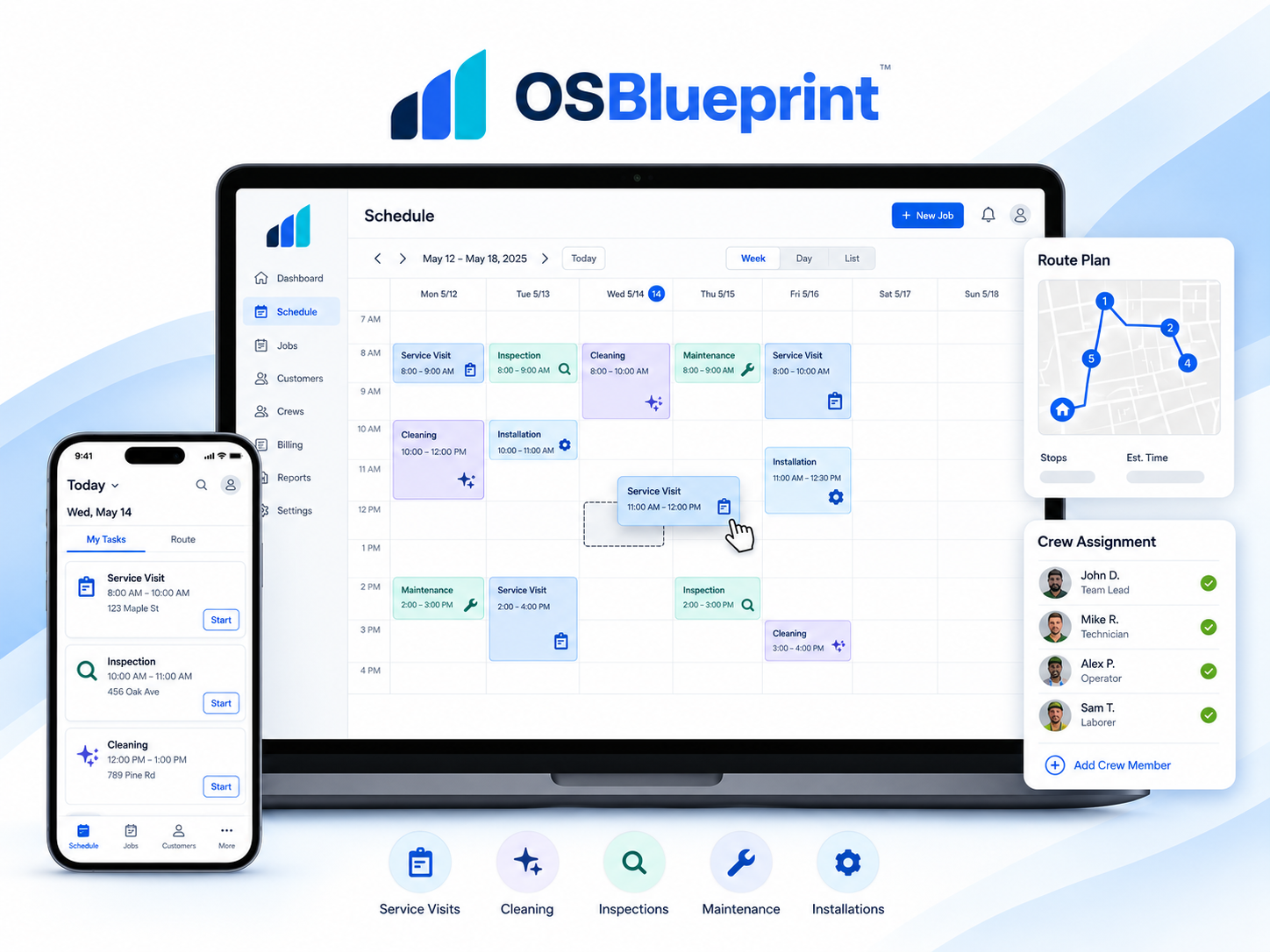
THE EXPERIENCE, IN FOCUS / 02
Crew
See assigned work and the details needed to do it. Record what happened in the field without opening the owner’s entire business.
Turn the schedule into clear assignments and field updates.
Illustrative product visualization. See current screens in the live demo.
ACTUAL PRODUCT, ACTUAL WORKFLOW
These are product captures, paired with the business outcome behind each screen.
Keep service context and history attached to the place where work happens.
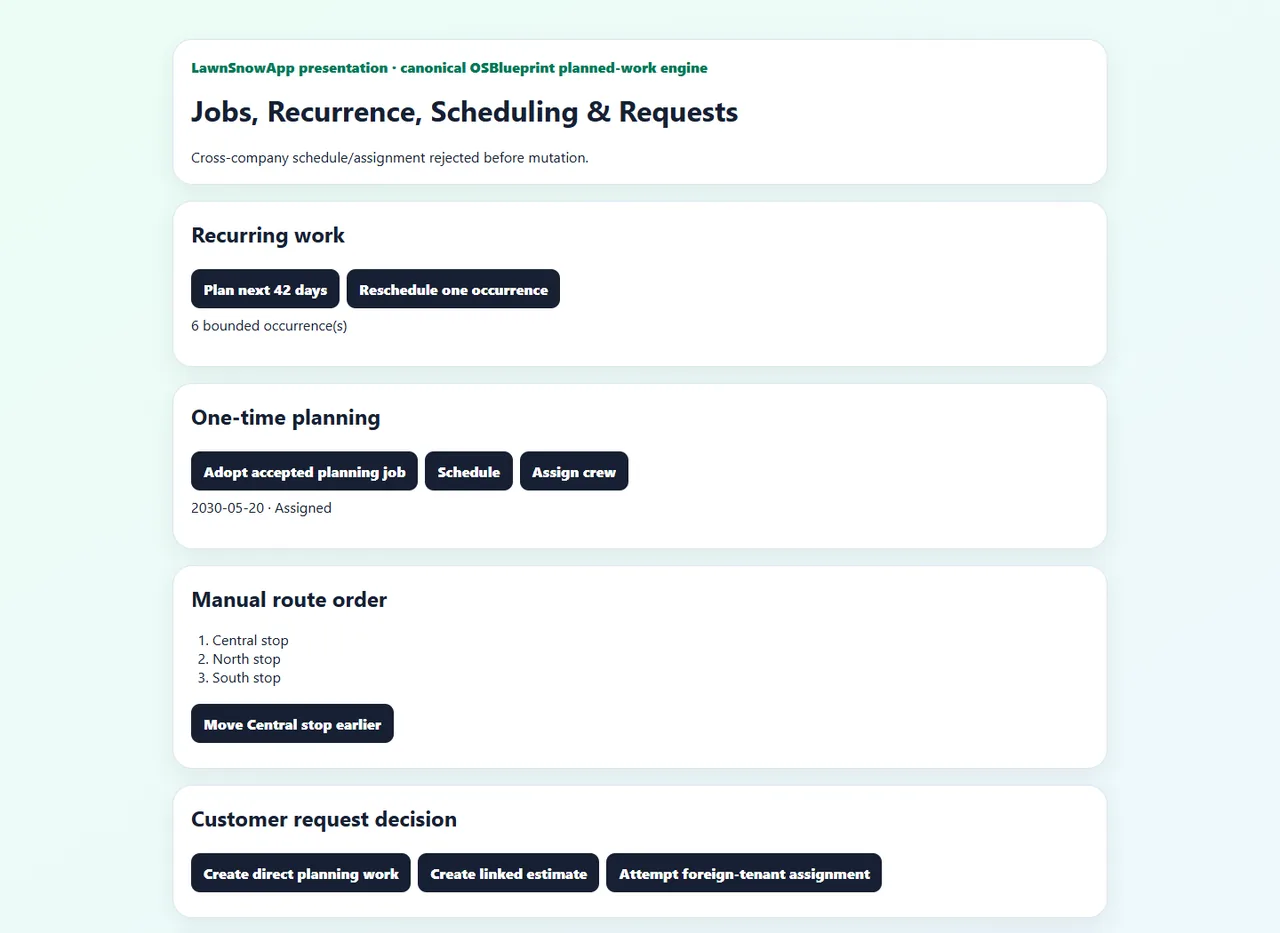
Move recurring and one-time work toward a schedule the crew can act on.
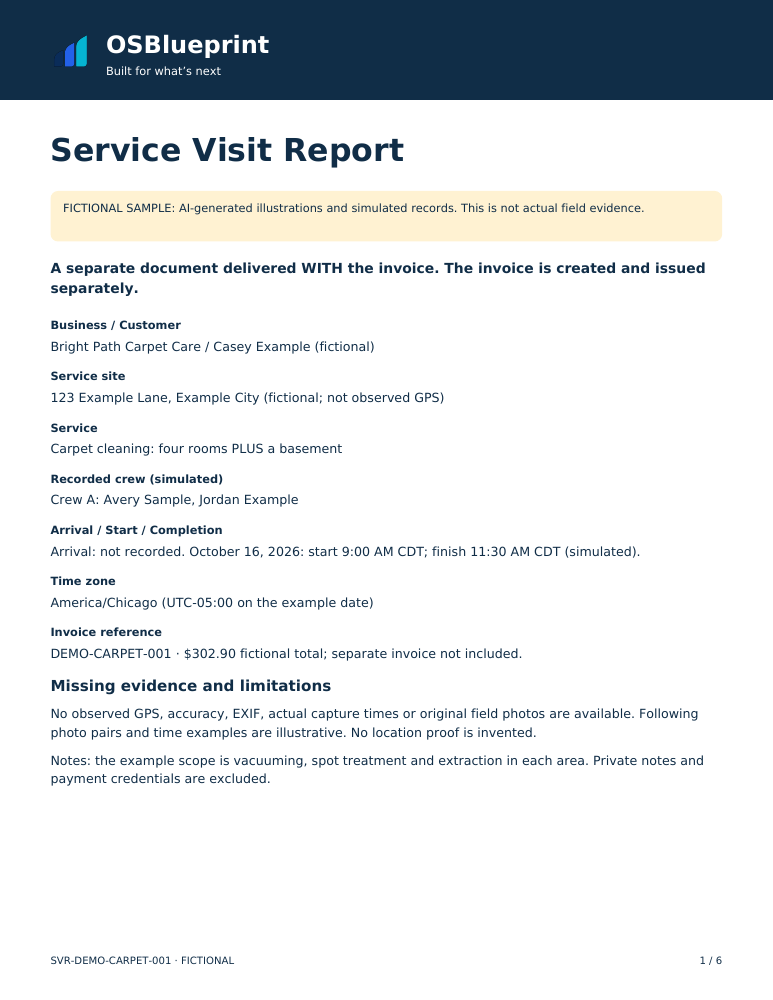
FICTIONAL SAMPLE · 6 PAGES
The Service Visit Report is a separate document delivered WITH the invoice. It shows the service, crew, recorded times, available site-location evidence and BEFORE / AFTER photos for every serviced area. Customers can download it, print it or choose to share it.
This fictional six-page PDF includes a summary and all five service areas. Images are illustrative; no real GPS is available. The same records can support dispute review without guaranteeing an outcome. Private application acceptance and public release remain pending.
FROM COMPLETED WORK TO A CLEAR RECORD
A Service Report brings before-and-after photos, recorded times and service notes into one reviewable visit. Give completed work context that the office and customer can understand.
Illustrative visit · October 20, 2026 · America/Chicago
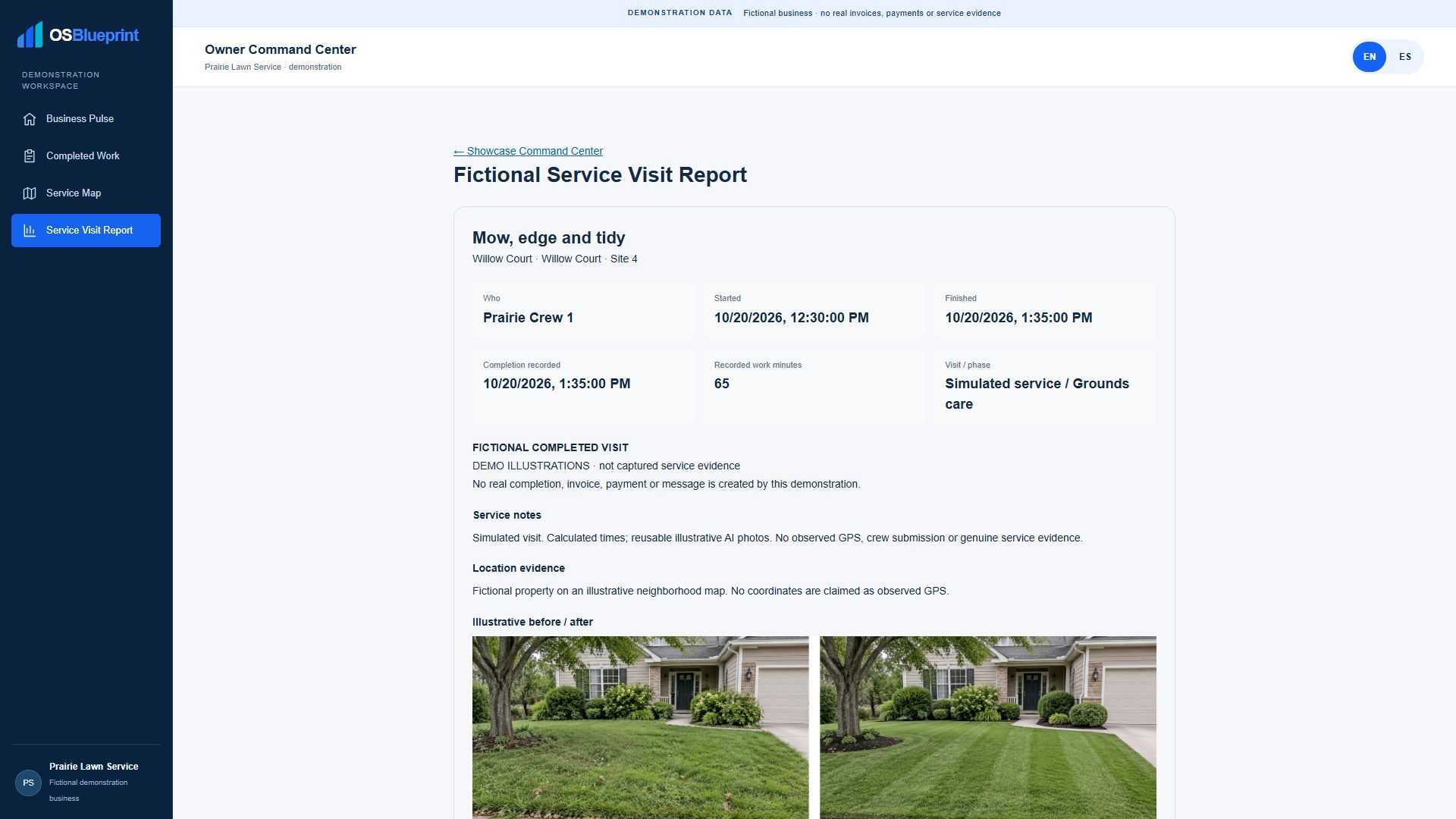
Target-state marketing illustration. Development views are not a claim of current Production availability.
FIT THE BUSINESS YOU ACTUALLY RUN
Start with shared operating essentials. Add relevant industry workflows and configure how your company works. A lawn visit, a snow event, and a cleaning job should not all be forced into the same script.
Customers, properties, work, people, billing and history stay connected.
Operating patterns shape the work for the service category.
Your defaults, exceptions and responsibilities make it yours.
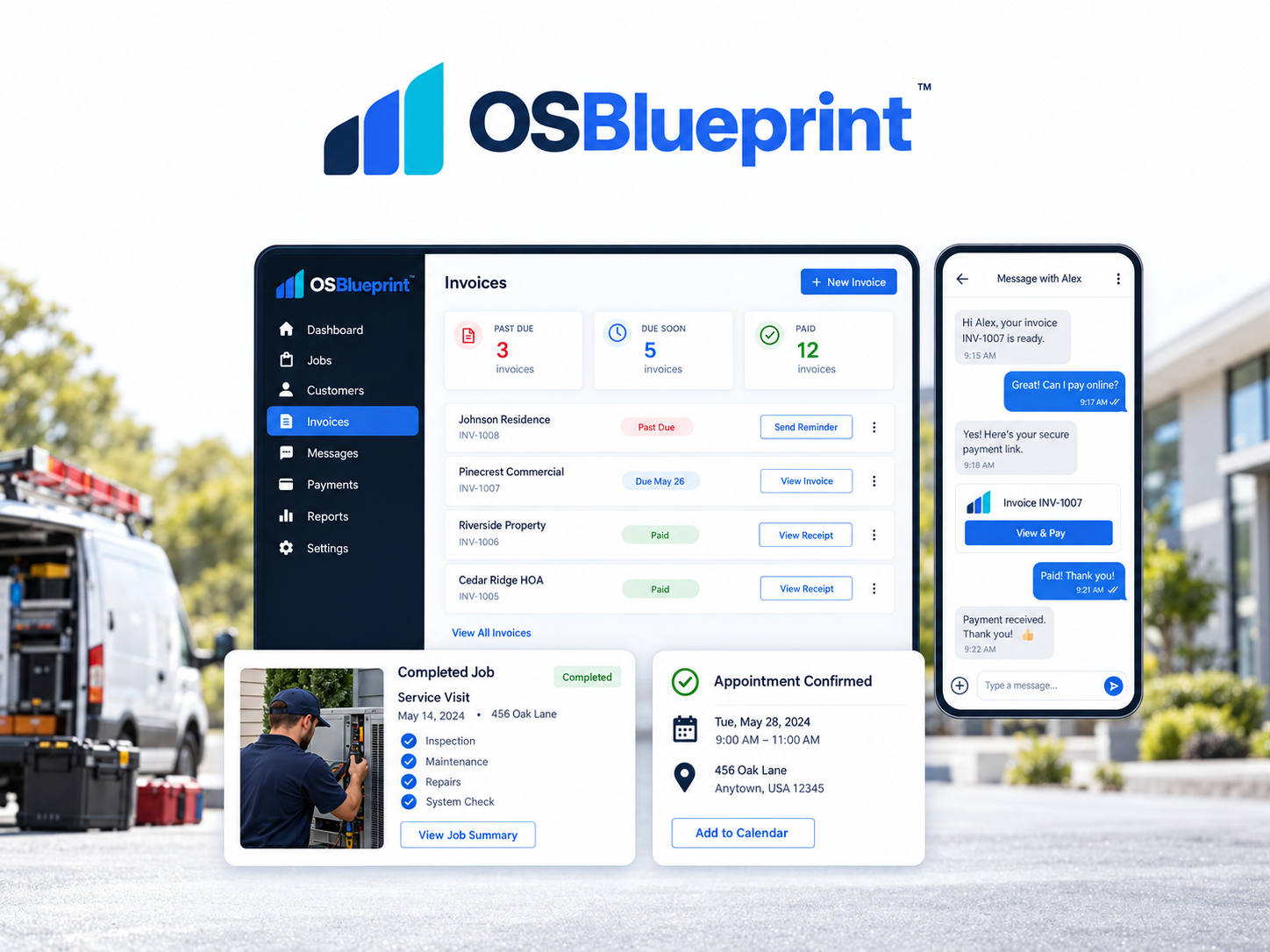
THE EXPERIENCE, IN FOCUS / 03
Customer
See service, requests, invoices and communication in one place, with fewer calls just to ask where things stand.
Keep service, invoices, and communication connected.
Illustrative product visualization. See current screens in the live demo.
MEET AIBE
AiBE is your assistant inside OSBlueprint. Ask what needs attention, why a job is waiting, or what a customer was promised. AiBE brings the relevant business context into one conversation and can prepare a next step for your review. You decide what happens.
 AiBEAsk. Understand. Review. You stay in charge.
BUILT FOR SERVICE WORK
The operating foundation stays connected while services, seasons, and field routines differ. See how your work fits before choosing a plan.
Carpet cleaning / OSBLUEPRINT
BUILT FOR SERVICE WORK
Industry-specific configuration and availability should be confirmed in the live demo and onboarding. The foundation is designed to adapt; a listed industry does not imply every specialized workflow is already live.
PAYMENT PROCESSING, ON ITS OWN
You don’t have to be a big company to get in on this.
Through OSBlueprint, we can help a wide range of businesses get their own online payment processing account at straightforward standard rates.
No OSBlueprint app subscription required
You can access payment processing through OSBlueprint without using our app or purchasing an app subscription. Use processing on its own, or explore the OSBlueprint app separately when it makes sense for your business.
2.9% + 30¢per transaction
Includes American Express.
1%per transaction
No ACH fee cap.
Whether you’re running a one-person operation, building a side business, or growing a team, we’re excited to help you take the next step.
Share a few business details before we talk. We’ll review your answers and follow up about next steps.
Optional. Prefer to talk first? Text or call us anytime. Stax makes the final approval decision.
Applicants complete the processor’s onboarding and approval process.
Accounts are subject to processor approval. These are processing rates. Any additional account or platform fees will be explained before signup.
OSBLUEPRINT APP PLANS
Explore the OSBlueprint app separately from payment processing. Start with no subscription, then move to a lower per-stop cost as volume grows. Starter, Core, and Scale share the same Longevity Bonus schedule, up to 50% of eligible per-stop cost. Turn tax off when it does not apply, or set rates manually.
Set customer recovery from 0% to 100% where permitted; your company bears the remaining share. Each eligible invoice and Paid Service Stop is assessed independently. There is no cumulative customer-fee cap. Standard payment-provider charges remain separate, and the customer sees any enabled fee clearly before paying.
For a company getting started or testing its fit.
charged only when completed work is paid or marked paid.
✓ Tax can be turned off; when applicable, set rates manually
✓ For online payments inside the app, standard payment-provider fees apply separately once a provider is connected and activated; terms are disclosed before activation.
For a growing operation that wants a lower per-stop cost.
✓ Tax can be turned off; when applicable, set rates manually
✓ For online payments inside the app, standard payment-provider fees apply separately once a provider is connected and activated; terms are disclosed before activation.
For higher volume operations ready for a lower per-stop cost.
✓ Tax can be turned off; when applicable, set rates manually
✓ For online payments inside the app, standard payment-provider fees apply separately once a provider is connected and activated; terms are disclosed before activation.
For organizations that need a scoped agreement.
✓ Tax can be turned off; when applicable, set rates manually
A Paid Service Stop is all completed work for one customer, one property, and one service date, even when it includes multiple jobs.
For online payments inside the app, standard payment-provider fees apply separately once a provider is connected and activated; terms are disclosed before activation.
For 30 days from the date an existing customer receives their transition notice, payments toward qualifying outstanding invoices included in that notice incur just one OSB Fee in total. Additional OSB Fees on those invoices are waived during that window. Customers have a clear reason to pay the balance now. Standard card or ACH processing charges, when applicable, remain separate.
THE QUESTIONS OWNERS REALLY ASK


Start with the customers and work you already have. Explore the demo to see where a connected workflow could help.
See how customers, schedules, crews, completed work and invoices fit together. Confirm the accounting connections you need before changing your process.
Let your crew try the demo. The field view focuses on assigned work and the details needed to complete it.
Start with the contacts and examples you already have. Review each suggestion, save your progress, and add details later.
Keep the conversation comfortable. Clear invoices and service records help customers understand what they owe; review the payment options available for your business.
Keep what works. Try one familiar job from scheduling through completed work and invoicing, then decide what helps.
Compare the price with the time saved and the work it helps you manage. Review the pricing page for your business before choosing.
Start with a small, familiar workflow. Bring the contacts and examples you have, and build from there at your pace.
Take your time. Explore the demo, ask questions and come back when you are ready.
Look for a practical benefit: less repeated work, clearer records or better visibility of unpaid invoices. Let the demo help you decide.
Choose the timing that works for your business. You can explore a familiar workflow now and plan any change around your season.
ACCOUNTS RECEIVABLE


With automatic reminders enabled, we send your customer a friendly notice like these one day after an invoice’s due date, then every 10 days until it’s paid. We handle the follow-up so you can focus on the work.
PROOF OVER HYPE
We would rather show you the working product and the actual pricing than ask you to believe a wall of invented testimonials.
YOUR NEXT STEP
Explore the live demo without booking a call. When you are ready to talk about your company’s services, rules, and handoffs, build your blueprint.